
Klaviyo
The project as a whole: Klaviyo is a very robust source of data for customers but common feedback is that it isn’t always the easiest product to use. With a significant learning curve to get started, the product also leaves its customers with two distinct workflows, mining their data for insight, and creating marketing messages through campaigns, flows, forms, and SMS messages. Customers had been saying for years that they wanted the two to connect. After learning something new about a customer segment and their behavior, they wanted to target them and they also wanted help understanding what they should do. These actions often fed into larger goals for their business that spanned the month, the quarter, and the year.
Role: Senior Product Designer and then Lead Product Designer
Skills for this case study: Visual design, prototyping, wireframes, user research, design strategy
The journey to actionability
Klaviyo is a very robust source of data for customers but common feedback is that it isn’t always the easiest product to use. With a significant learning curve to get started, the product also leaves its customers with two distinct workflows, mining their data for insight, and creating marketing messages through campaigns, flows, forms, and SMS messages. Customers had been saying for years that they wanted the two to connect. After learning something new about a customer segment and their behavior, they wanted to target them and they also wanted help understanding what they should do. These actions often fed into larger goals for their business that spanned the month, the quarter, and the year.
The goals feature and working with CSMs
Klaviyo customers were often using other tools to plan, organize, and track their business goals and progress. In addition, accounts of a certain size were considered “managed accounts” and were paired with a customer success manager (CSM) at Klaviyo. These CSMs were getting extremely bogged down with the amount of help they were expected to offer customers and there was no consistent method they used to track a user’s key metrics, and provide them with recommendations for actions. This provided us with a double opportunity. Leverage CSMs to help act as a proxy for the customer so we could define the most valuable solution and act faster, and build a goals page that was editable by the CSM and the user, leveraging their data and what they would do in other tools all in one place.
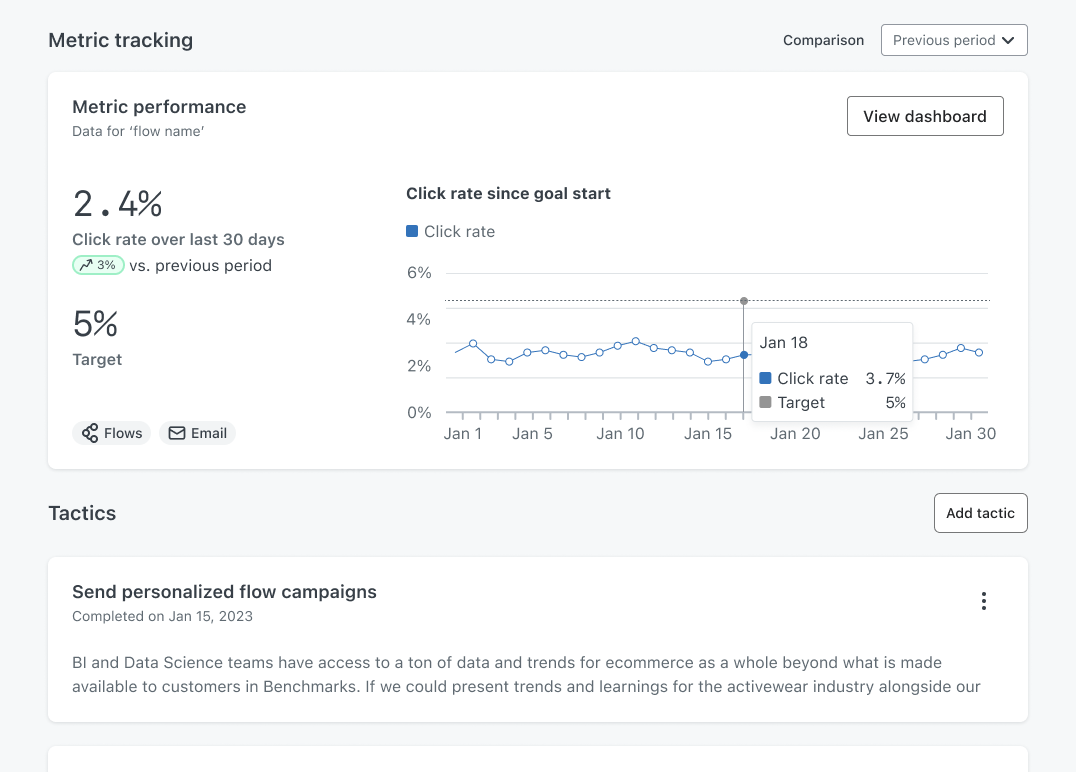
After a design sprint and many sessions with our CSM partners, we shipped the goals page. This space captured all the goals created with status badges, expected date of completion and metric tracking when available. Within each goal, the user could then see goal metrics, their performance against that goal over time, and create tactics as a to do list within that goal.
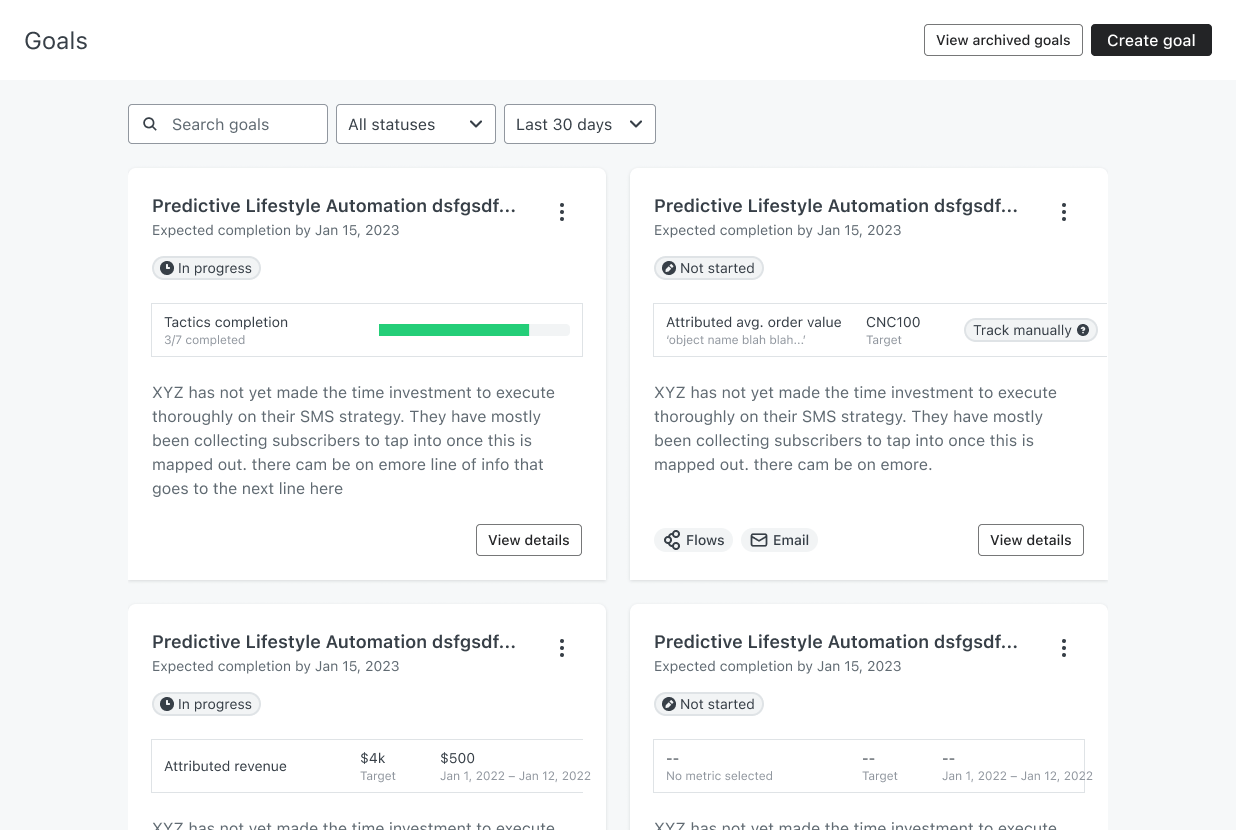
Ultimately, the team was designated to other priorities and without further iteration, and it’s lack of organic discoverability, it got little use. However, it was an important step for me and others working on teams focused on helping users take informed action, and as you will see, became the groundwork for patterns to follow.
The Action Center(s)
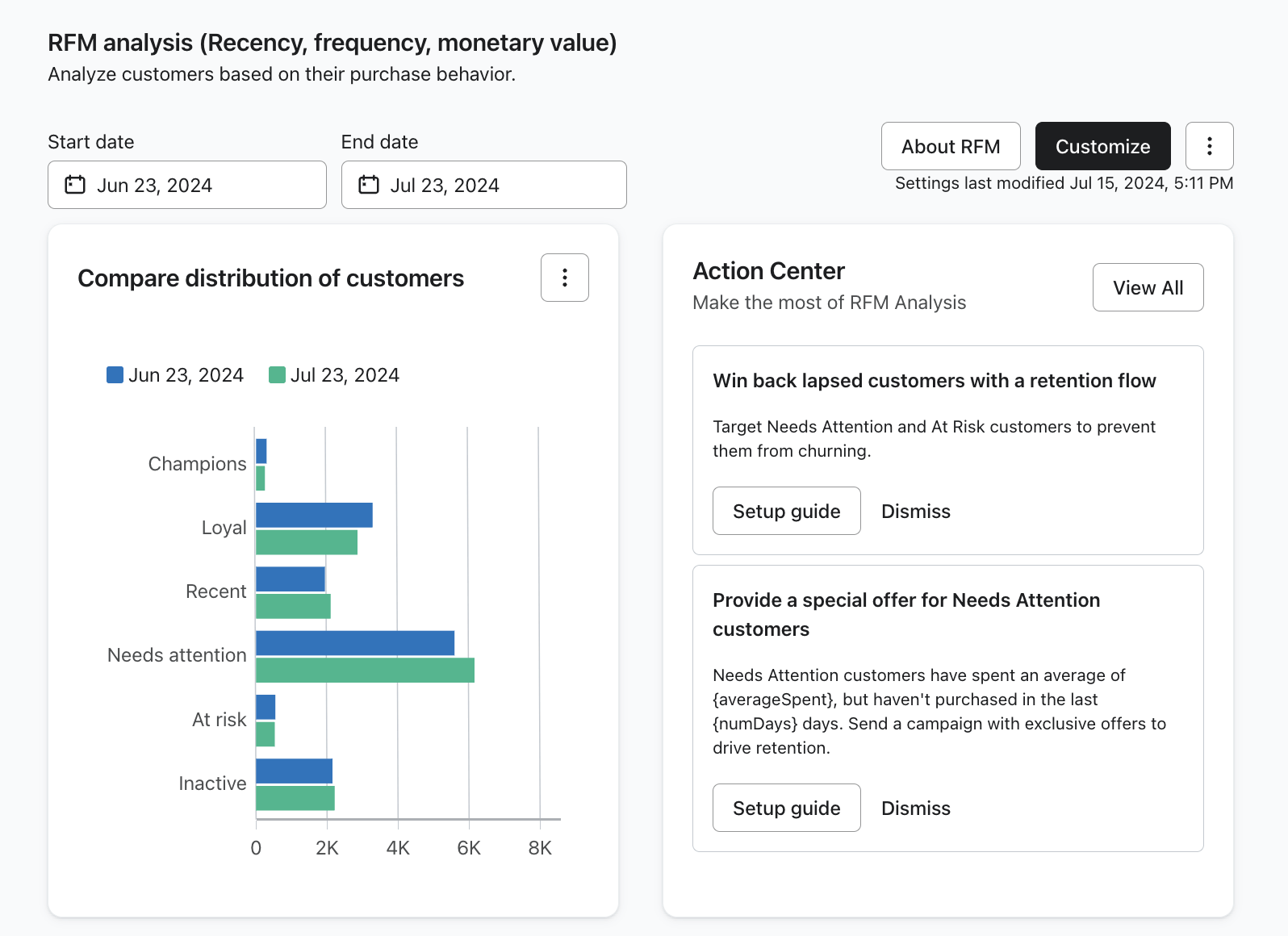
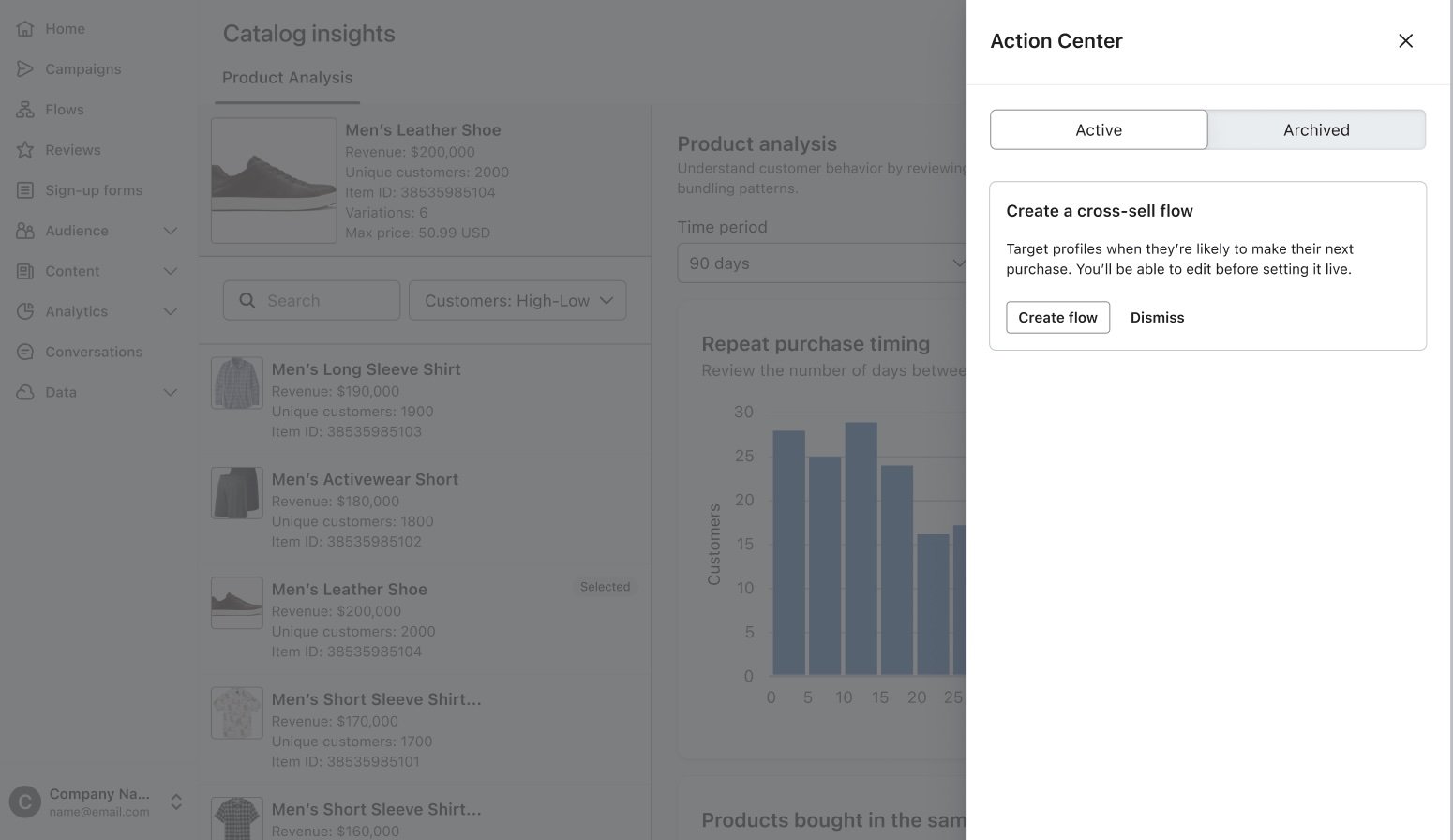
In the previous case study I outlined how taking action like setting up a winback flow or sending a campaign was an obvious need for customers after the MVP of RFM analysis shipped. This initial action center work (completed while I was on maternity leave), directly tied the work from the goals page with the needs of the RFM feature. At this point, we knew the anatomy of what customers needed to see to feel like an action, tactic, or strategy was accurate to their business needs and something they would pursue. At least we had an initial idea and a few ways to ship initial tests for use cases that were common. This was then used in other features, when I returned I worked with my direct report to ship the initial action center for the Product Analysis feature as well. We were beginning to connect the dots between insight and action but there was room for improvement.
The strategies pitch and AI
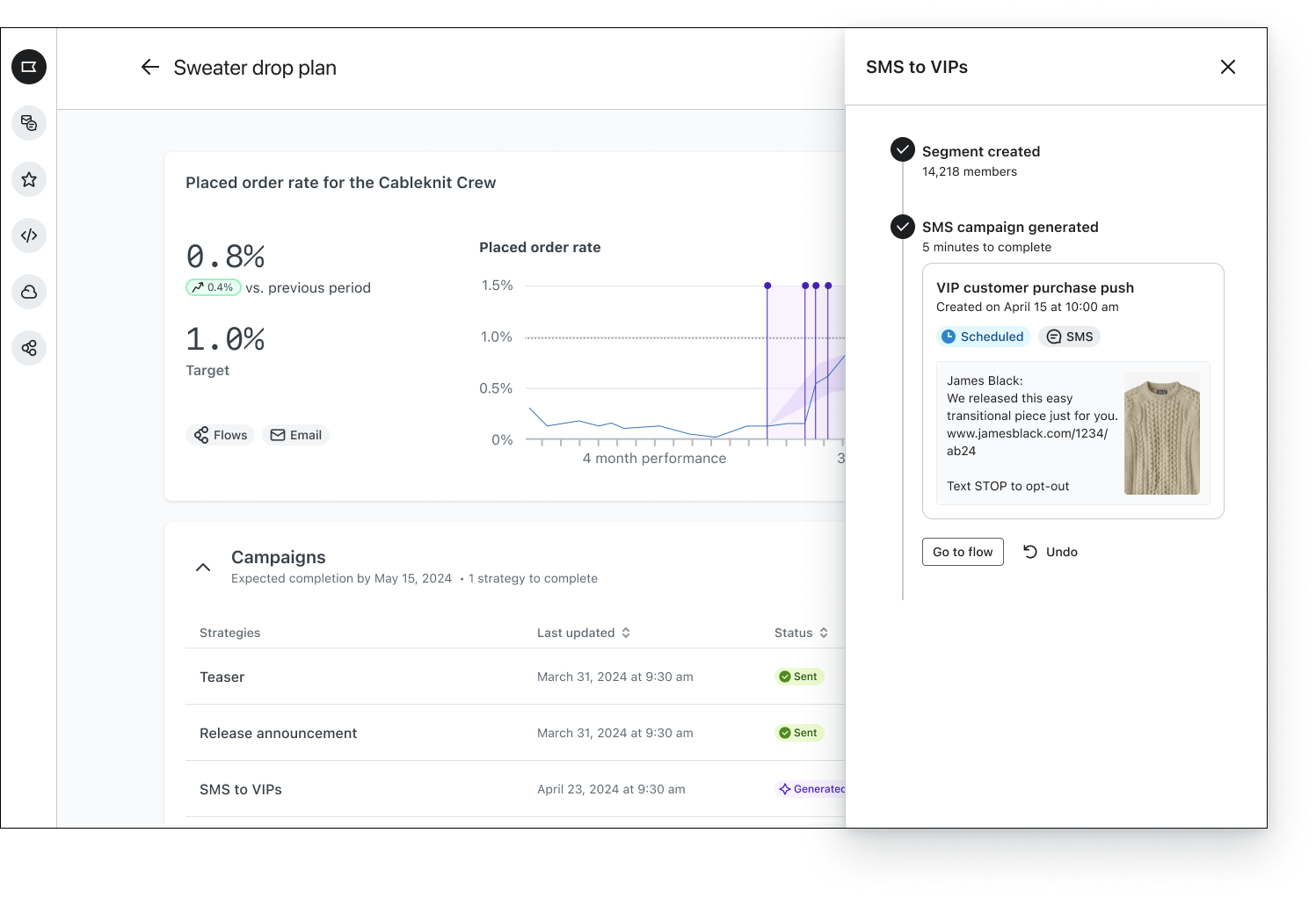
The need to help customers understand what to do next and where they might be leaving money on the table continued. I worked with other lead designers in our space to brainstorm multiple paths. I was then able to pull from existing patterns and user testing we had already conducted to develop a vision for “strategies,” a more fluid way for insights and recommendations to surface places like the home screen, or in an action center or even within a chart and take users to the action or even just do it for them (eventually).
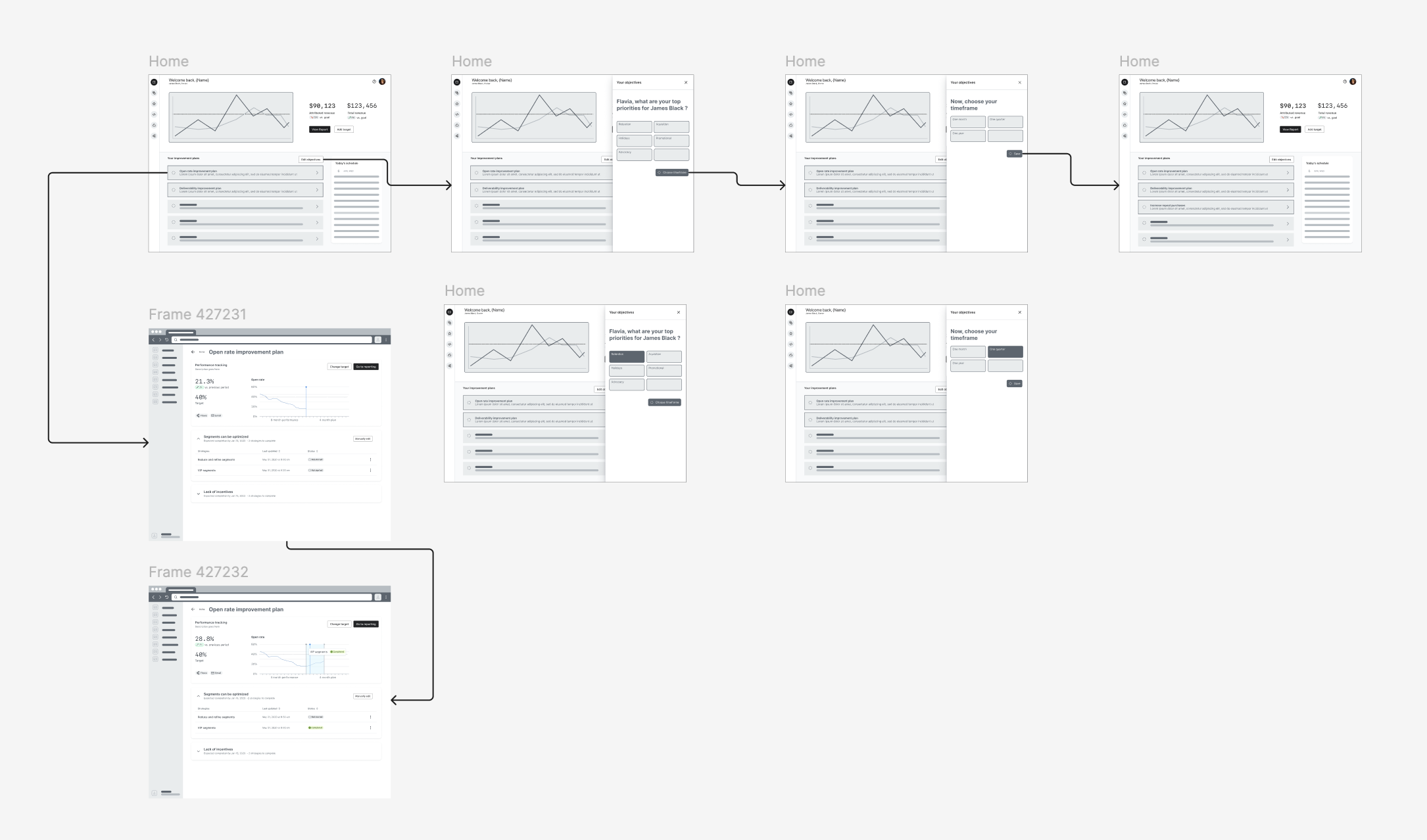
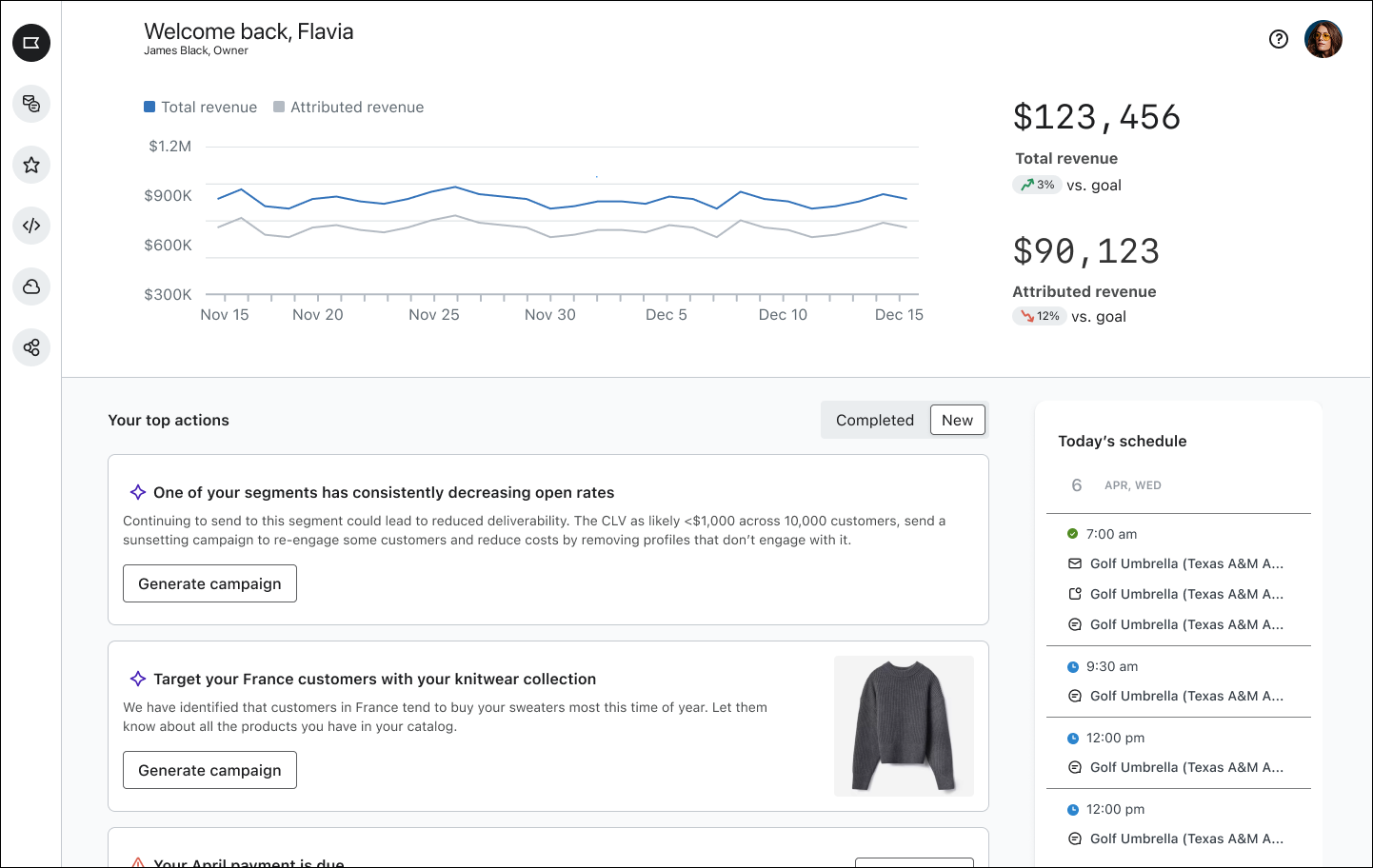
I also wanted to pull in the idea of goal setting from the original goals work, so that individual actions were part of larger strategies the user was thinking about and planning for in advance. While another team had been iterating on the calendar for campaigns, there was no holistic way to plan out sets of actions in the app.
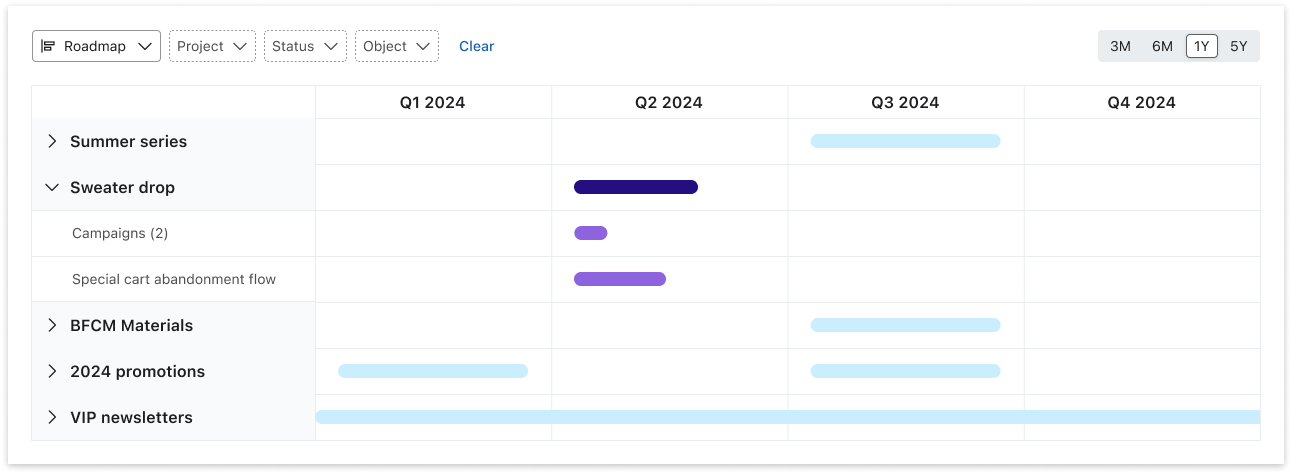
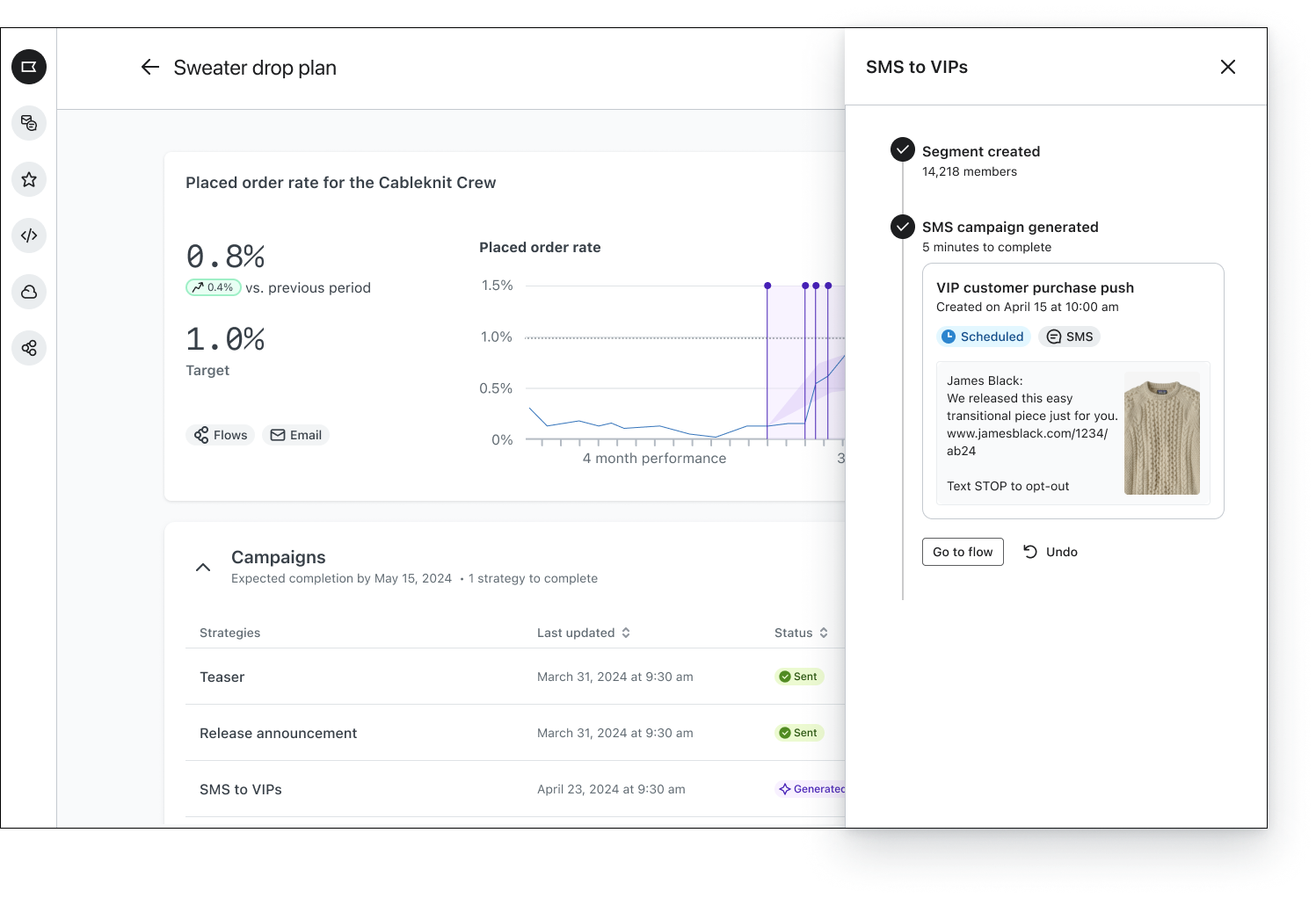
The pitch included more future facing possibilities as well. We knew that agencies struggled to switch back and forth between accounts and that teams often had friction around actionability because the person looking at the data might see the insight but was not he same person that would ultimately design a campaign or activate a flow.
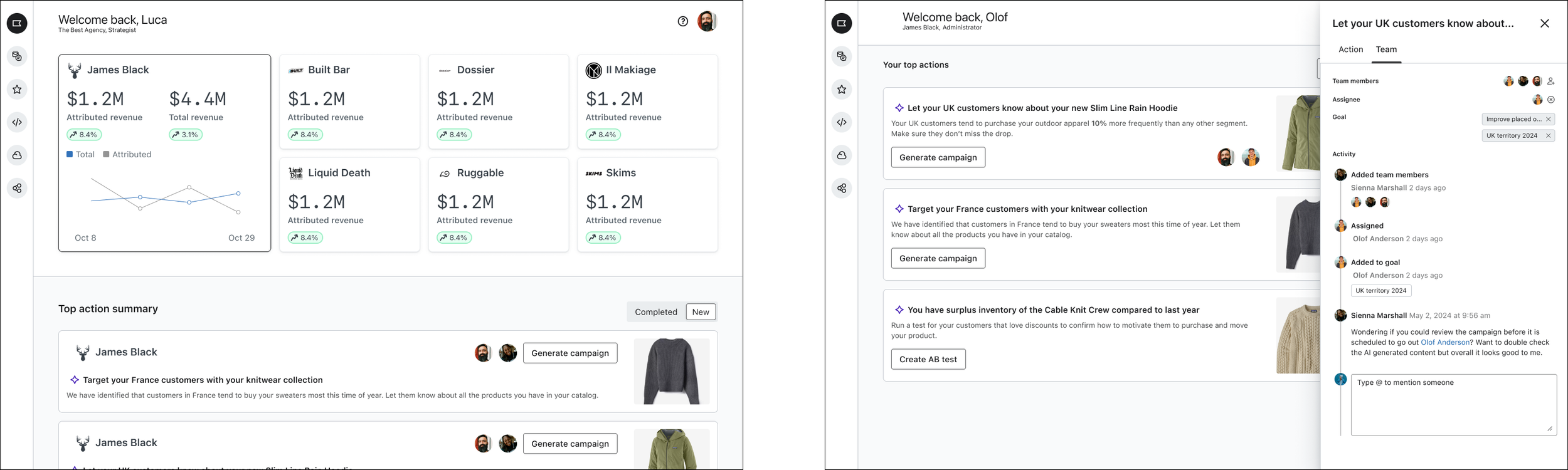
These designs specifically didn’t ship, however the action center you see here continues to be iterated on by the designers on my team, and the AI team’s work around recommending actions and taking action on a users behalf all builds on this work.